AtControl for Mac · iPhone · iPad · early public beta
Go to bed.
The Mac stays up.
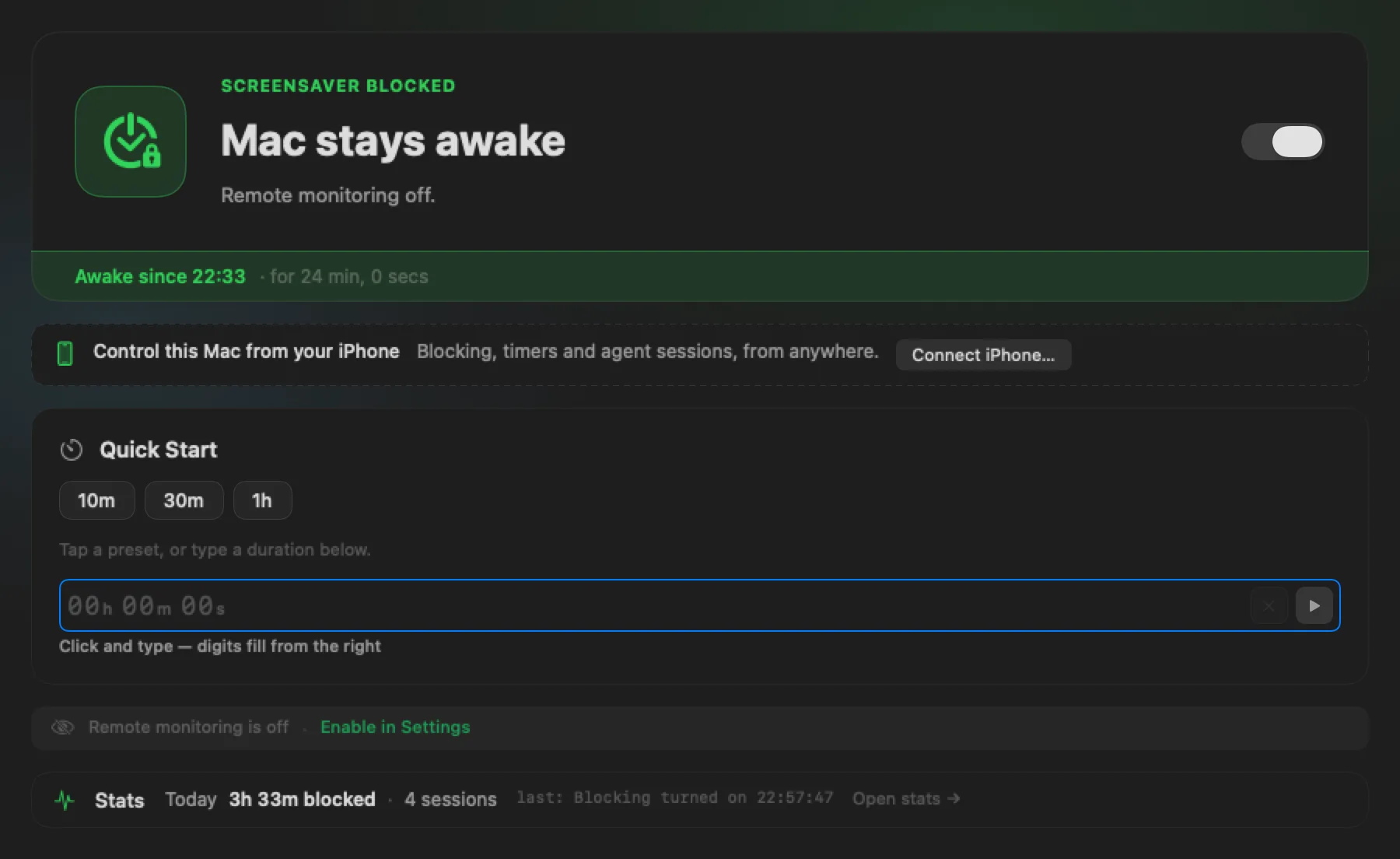
AtControl keeps a Mac awake while a render, a build or an AI agent works — and your phone knows the moment it is done, or the moment someone else sits down at it.
TestFlight · free, with a tip jar · no account · no analytics
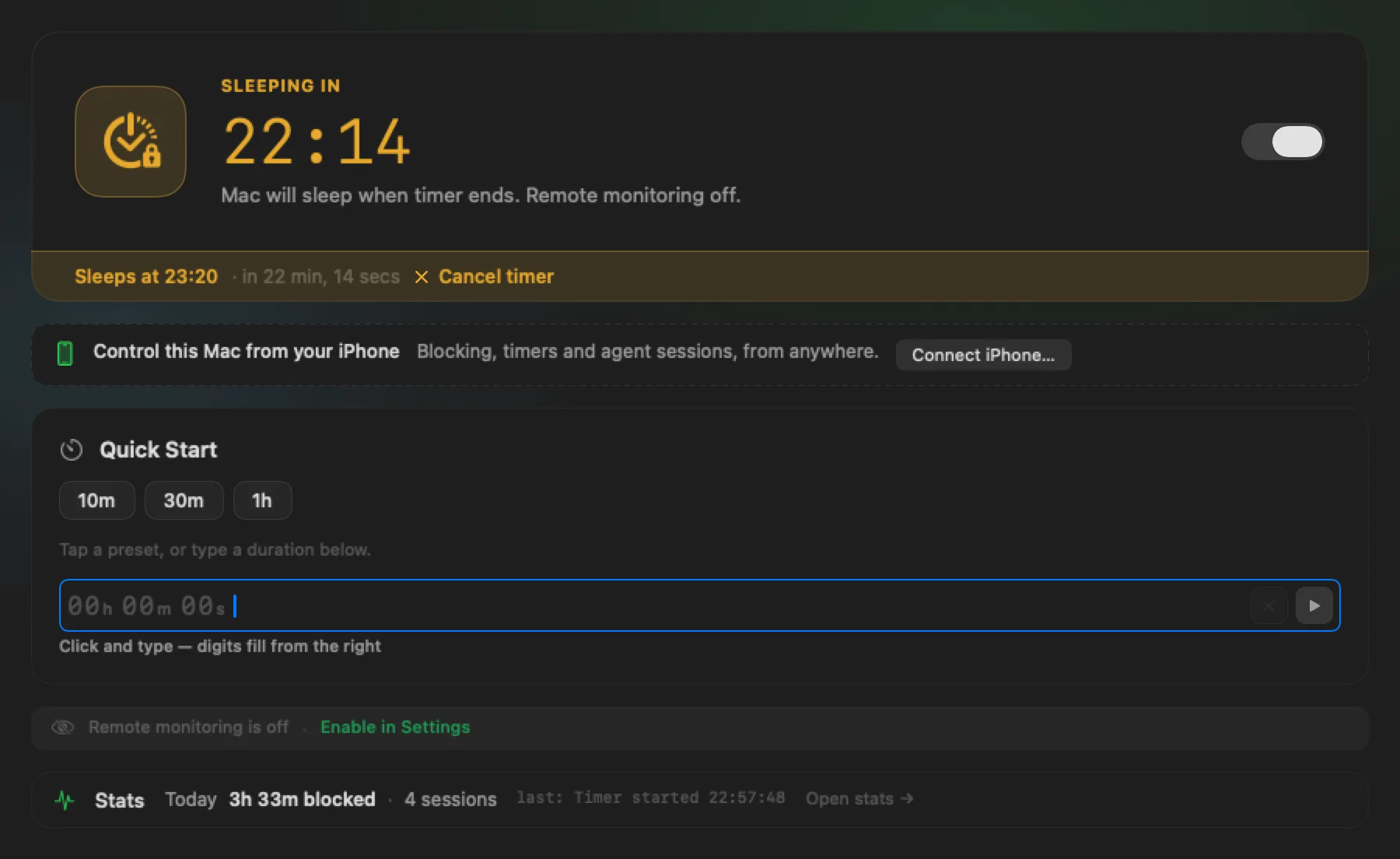
The render.
Sleeps at 06:30.
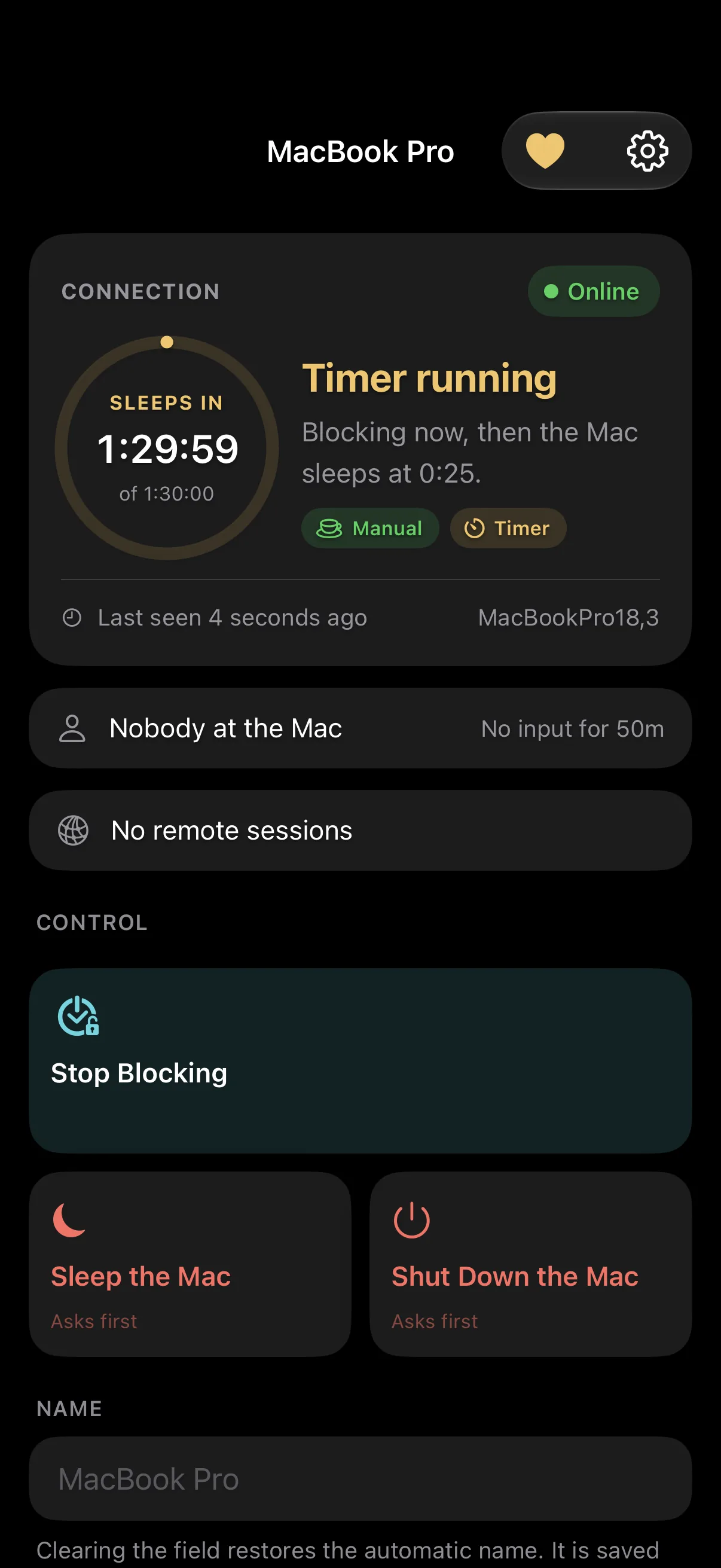
You know roughly how long it takes. Type it in — or tap a preset — and the Mac stays awake for exactly that long, then sleeps. The countdown ticks on the Mac and on your phone, and the phone can cancel it from bed.
The agent.
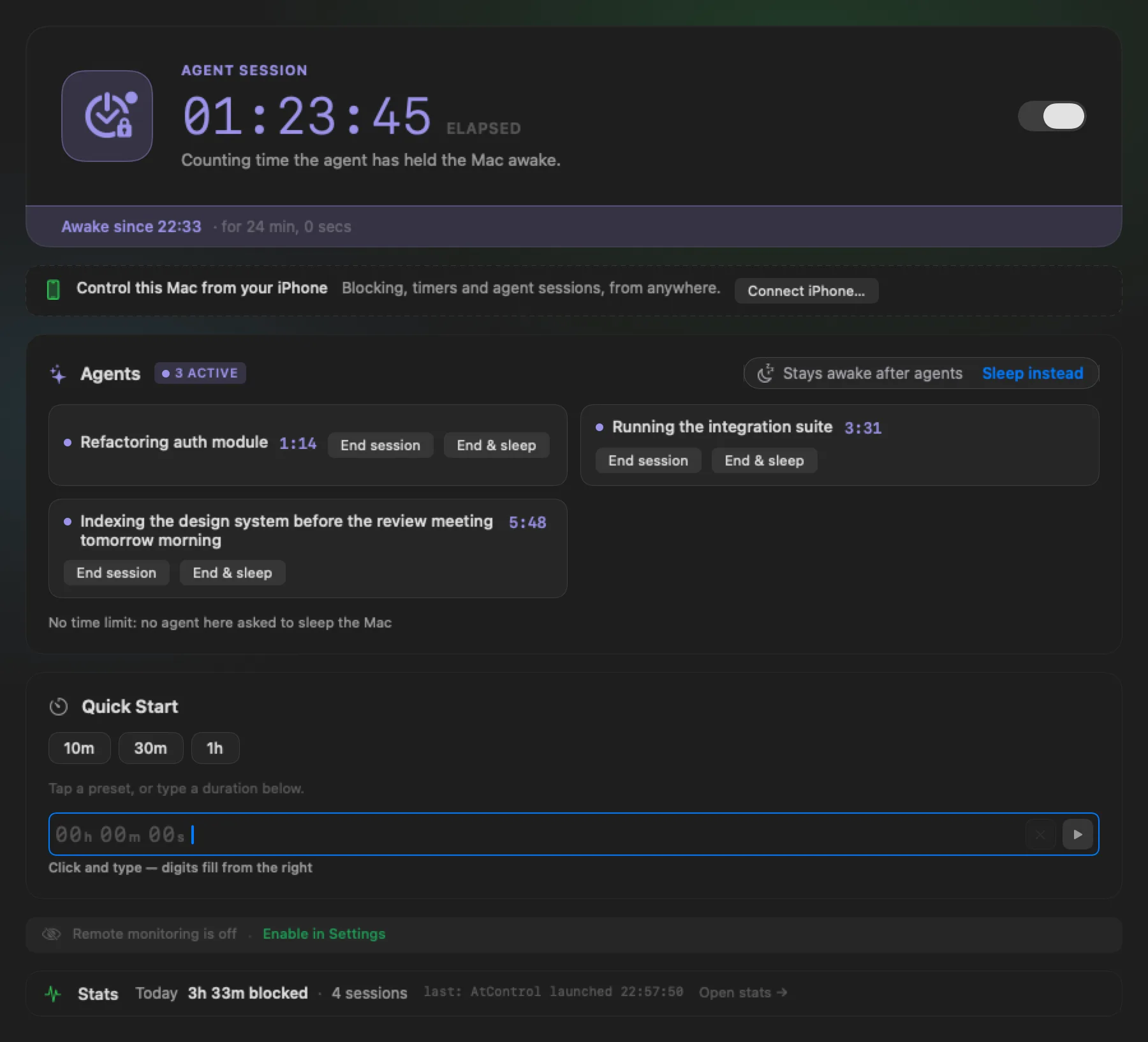
It finishes. Then the Mac sleeps.
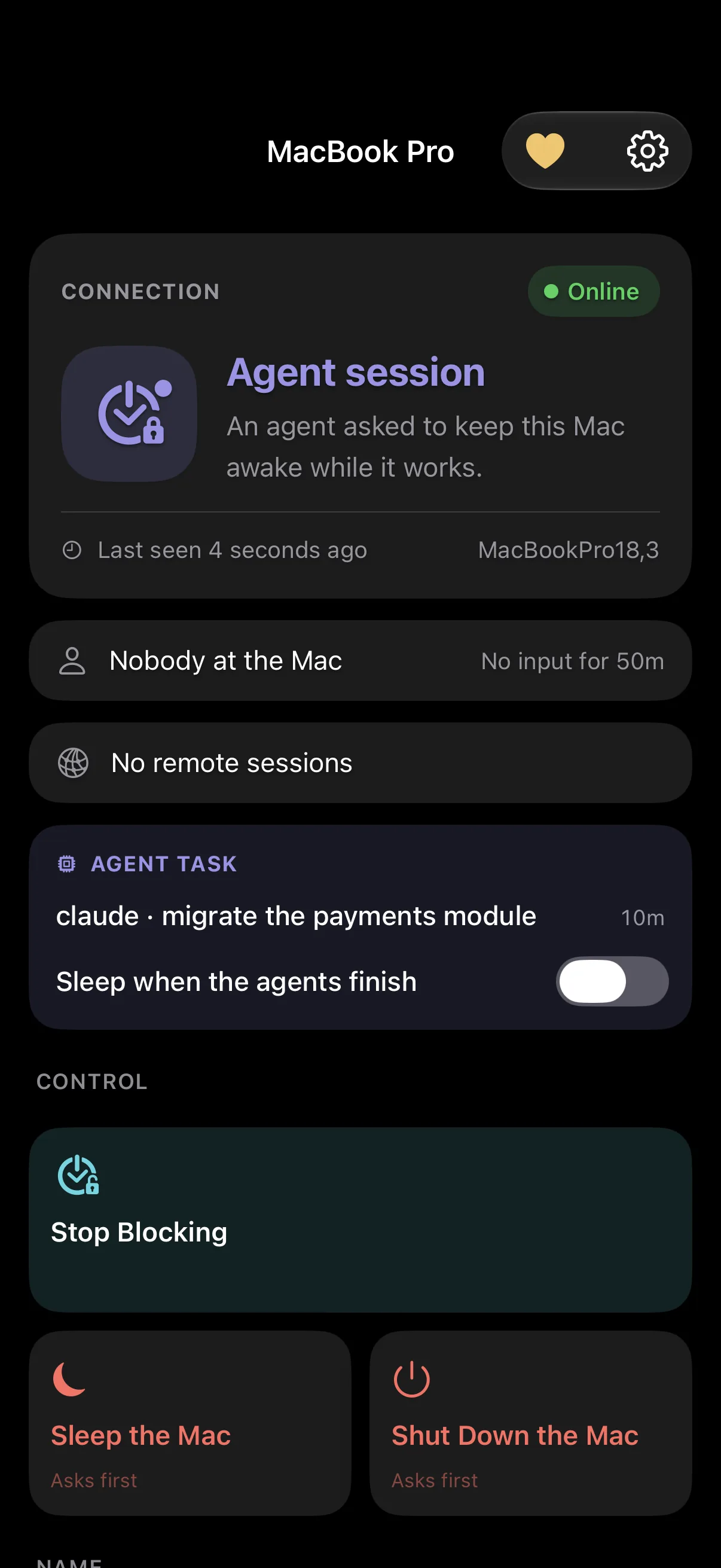
Claude Code, Codex CLI or any agent that can run a command registers a session before it starts and ends it when it is done. Up to sixteen at once. Sleep — if you asked for it — waits for the last one.
The visitor.
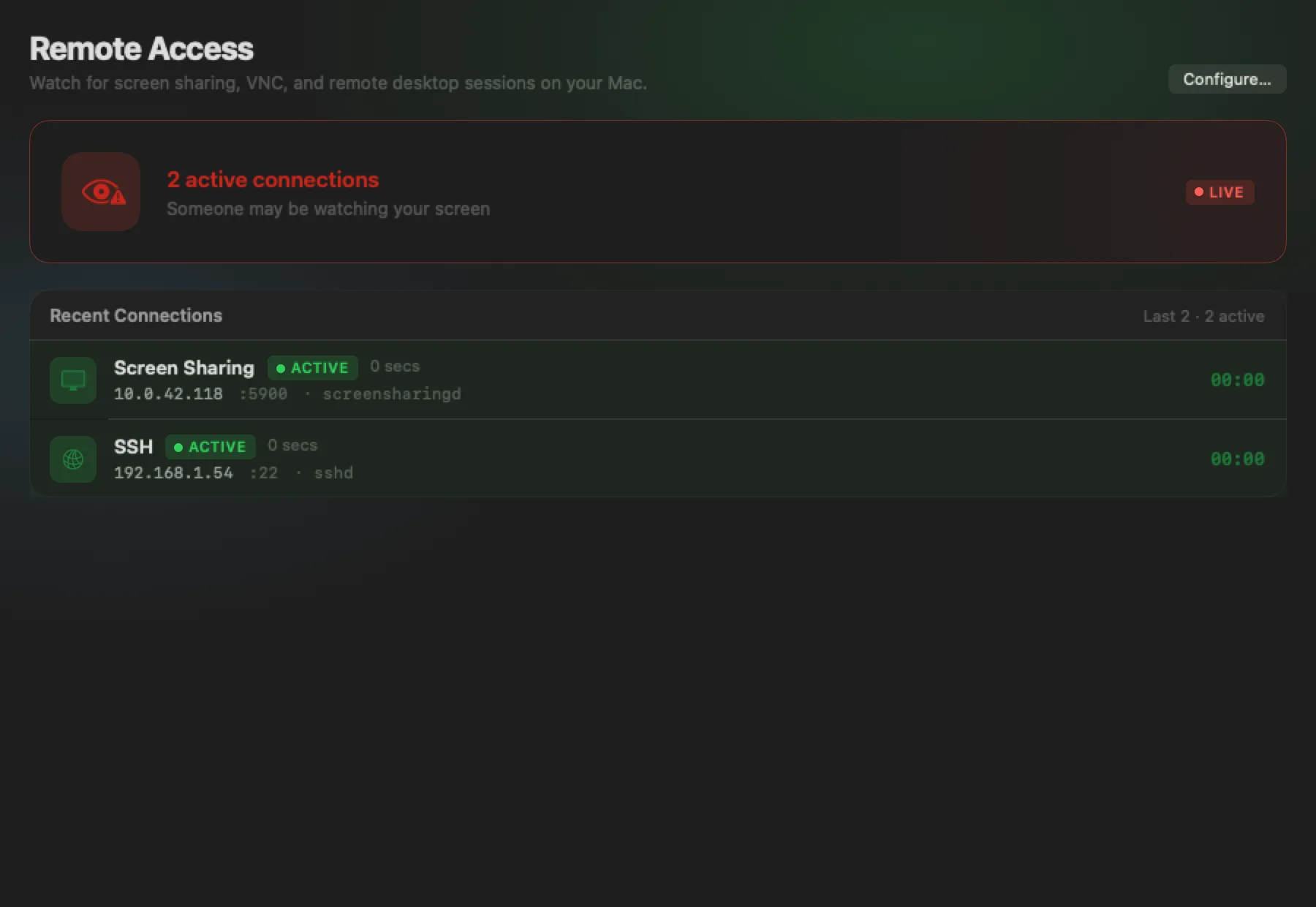
Someone may be watching your screen.
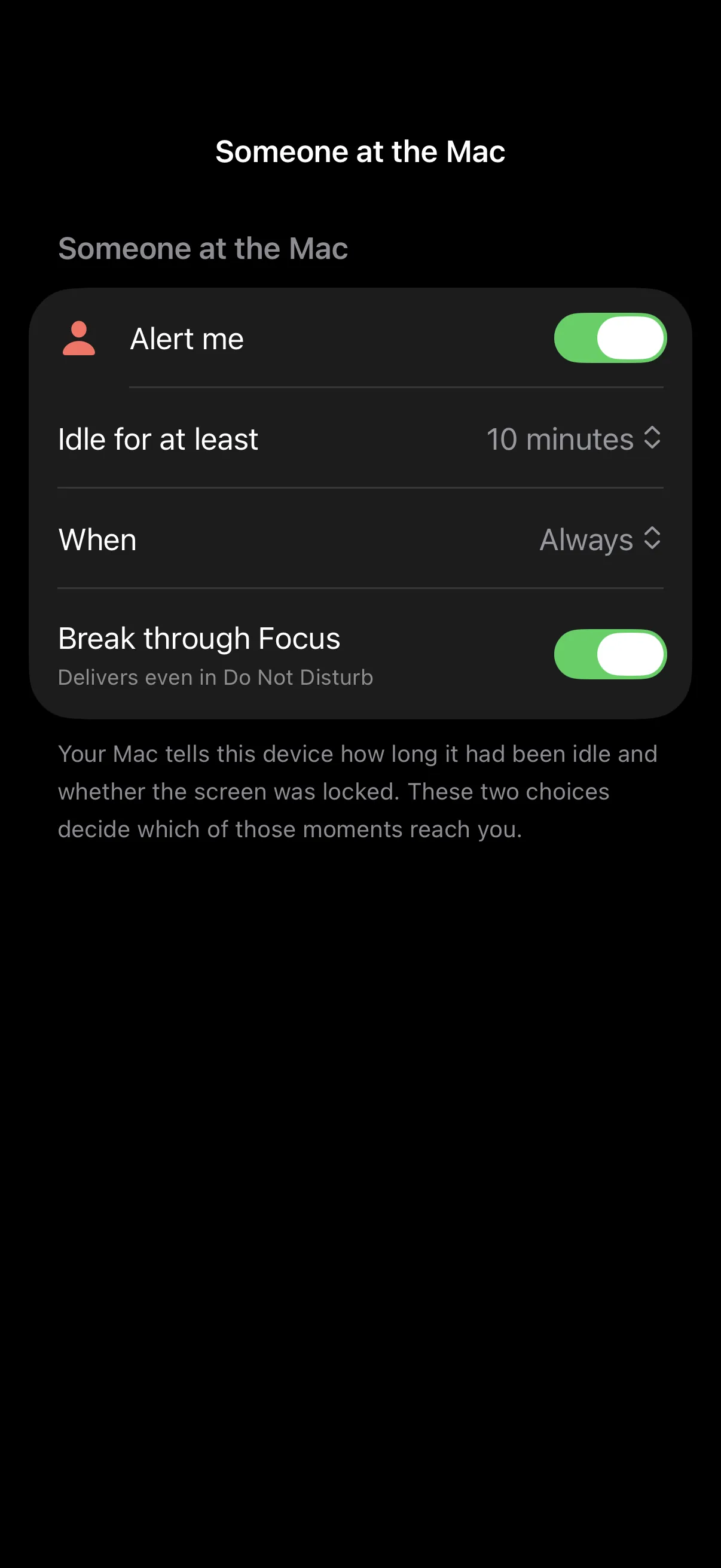
Monitoring watches the ports and processes that screen sharing, VNC, remote desktop and SSH use. When a connection appears you hear about it in the window, in the menu bar, as a notification and on your phone. Off by default; the port list is yours.
The remote.
See the Mac. Then tell it what to do.
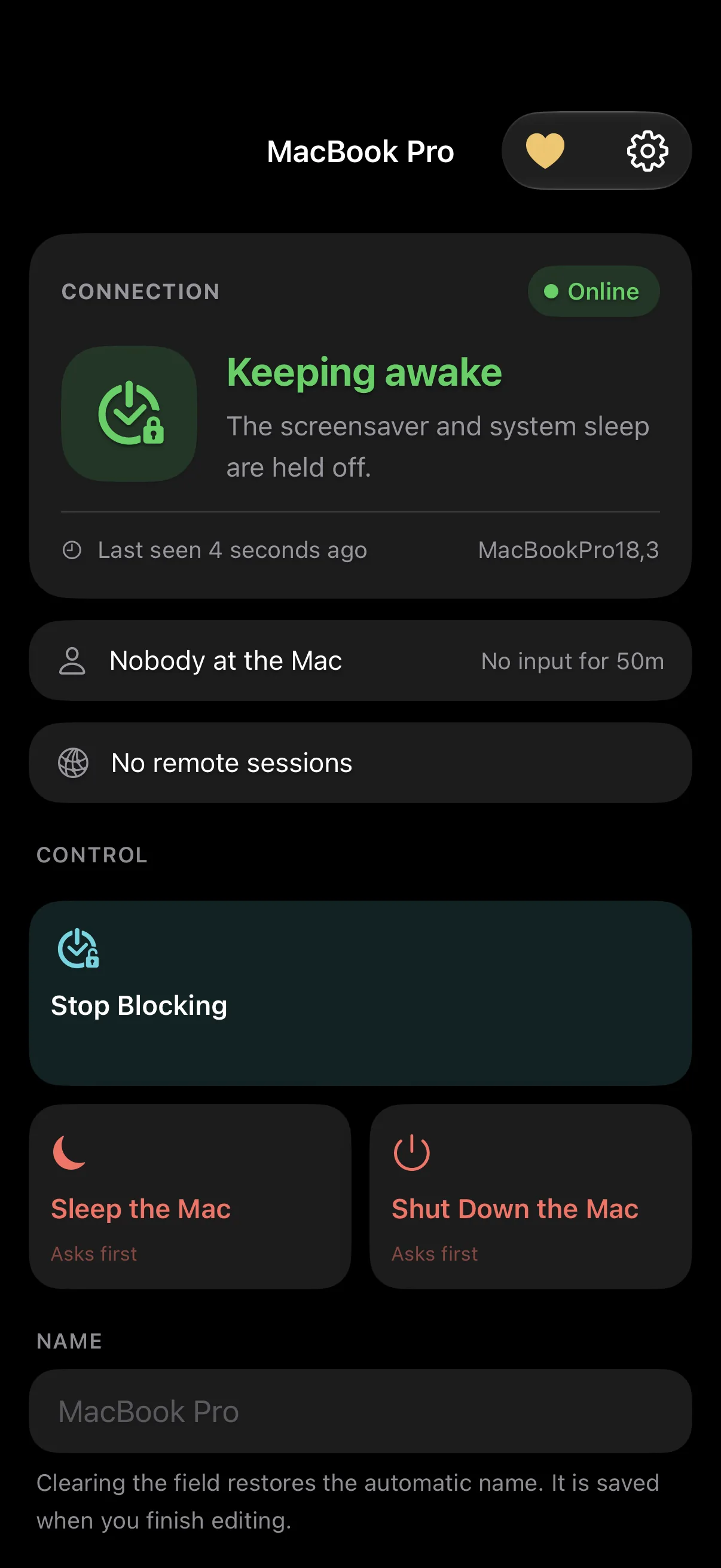
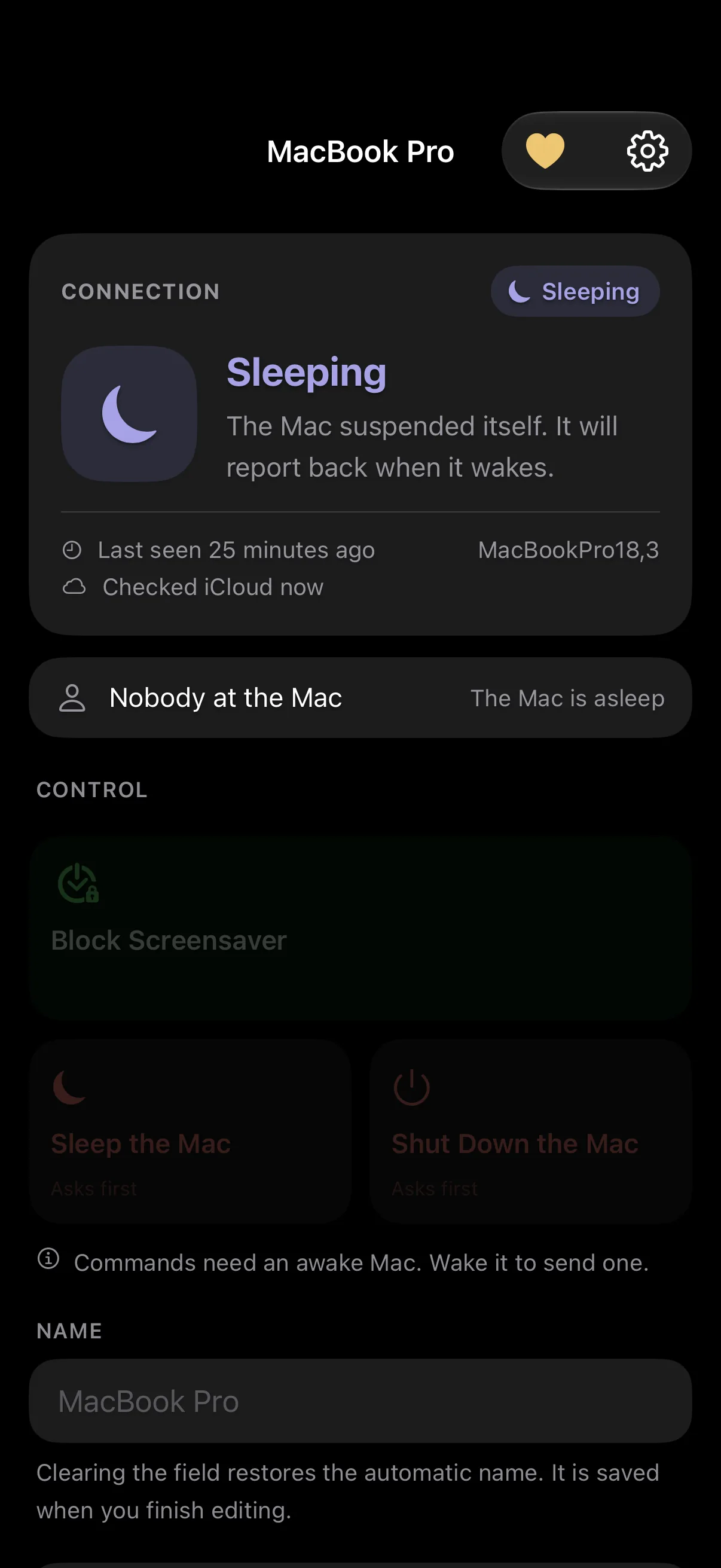
Your iPhone or iPad shows the Mac live — Online or not, Keeping awake or idle, who is at the keyboard, how long until it sleeps — which remote sessions are open, and carries the four commands that matter from bed, from the train, from anywhere. Pair once with a QR code; both devices need the same iCloud account.
- Block the screensaverKeep the Mac awake from wherever you are.
- Stop blockingLet the Mac go back to its normal schedule.
- Sleep the MacAsks first. A confirmation means the system accepted the request.
- Shut down the MacAsks first, and says what is lost: unsaved work in open apps.
Commands are signed by your phone and verified by your Mac. Delivery while the Mac is asleep is not guaranteed.
By morning, it’s handled.
And accounted for.
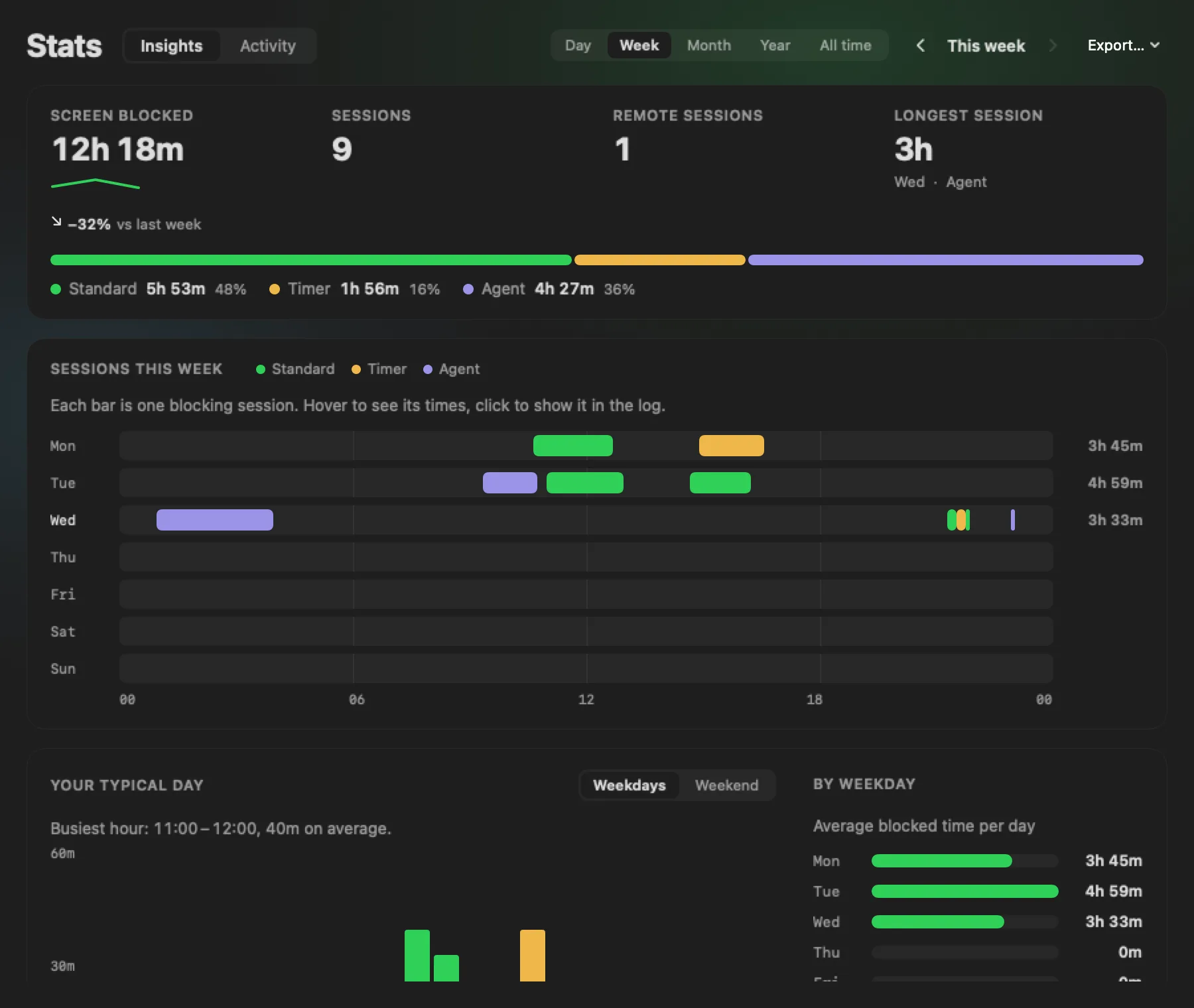
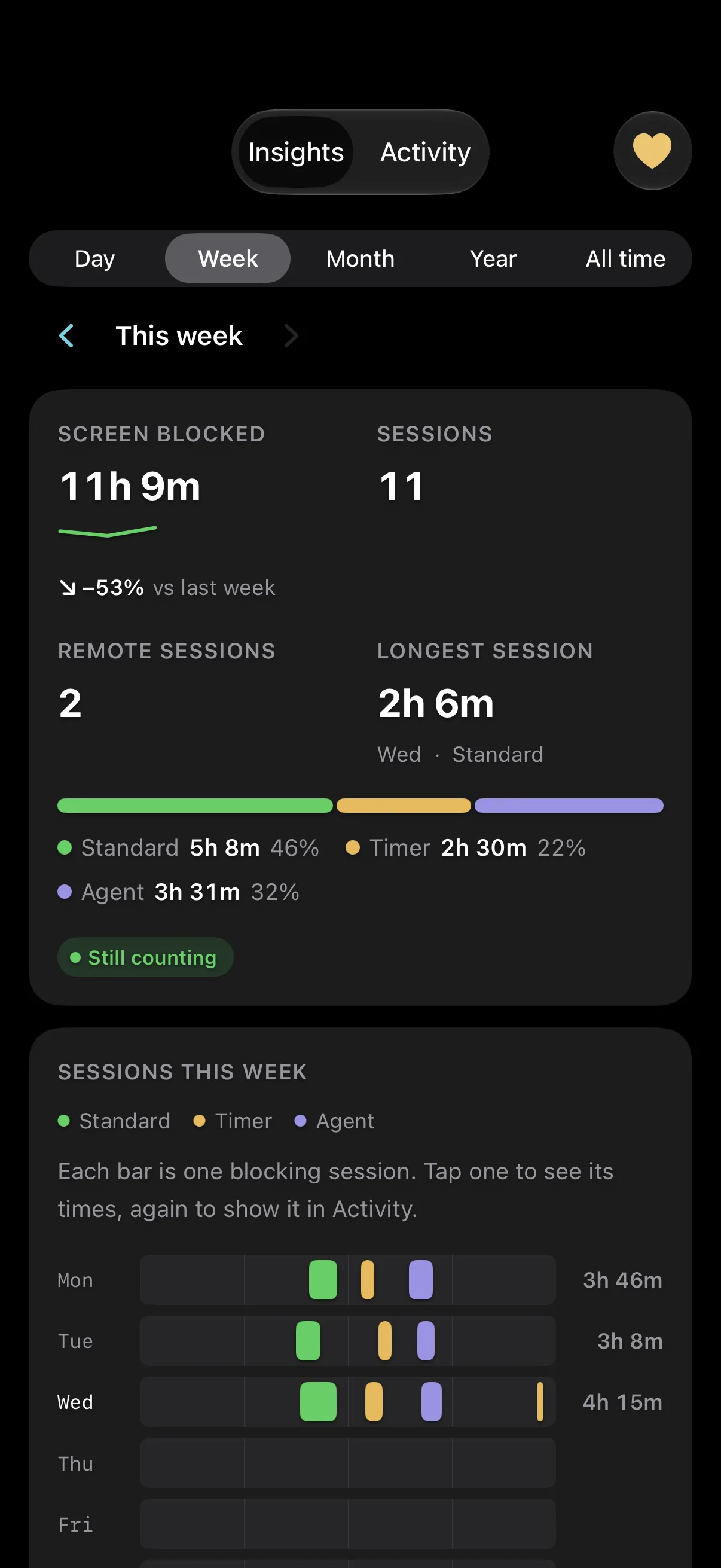
The Mac slept at 06:30, exactly when you said. A journal of everything AtControl did — blocking on and off, the timer, each agent session, the remote connection, the commands from your phone — stays on the Mac, exportable as CSV or JSON. Stats add up the hours, by feature, against the period before, with a chart for every period and your typical day — on the Mac and on your phone.
Details
Numbers that are true.
No testimonials, no invented counters. These come from the code.
- 16agents at once
- 256-bitone-time pairing secret
- 10 minpairing window, five attempts
- 30 scommand check while awake
- 60 sheartbeat from the Mac
- 5rules that release the Mac: lid, lock, display, screensaver, battery
- 0accounts, analytics or tracking SDKs
- $0for both apps — a tip jar on each, and tips unlock nothing
Plain words
What it is. What it is not.
It is
- Keeps the screensaver and system sleep off while the switch is on, and lets go when the lid closes, the screen locks or the battery runs low.
- Sleeps the Mac on a countdown. Cancels from the phone.
- Holds the Mac awake for coding agents and sleeps it after the last one.
- Tells you when screen sharing, VNC, remote desktop or SSH connects.
- Shows the Mac — and commands it — from an iPhone or iPad over your own iCloud.
It is not
- Not a firewall or intrusion detection. It tells you a connection exists; it blocks nothing.
- Not end-to-end encrypted. Commands are signed by your phone and verified by your Mac; the records live in your private iCloud database, protected by Apple, not by a key only your devices hold.
- Not a guarantee the Mac is asleep. A confirmation means the system accepted the request.
- Not instant. Usually seconds; delivery to a sleeping Mac is not guaranteed.
- Not yet a way to start a timer from the phone. Block, unblock, sleep and shut down are.
From the developer
I built AtControl because I kept babysitting my own Mac through the night. Both apps are done and I use them every day. What I don’t have yet is evidence from Macs and phones that are not mine — that is what the beta is for, and why it starts small.
— Tomasz Klocek, Wrocław, Poland
Does it need an account?
No. There is no AtControl account. Pairing a phone uses the iCloud account you are already signed in to on both devices.
What does it cost?
Nothing. AtControl for Mac is free and stays free; the iPhone and iPad app is free too, and syncing through iCloud always will be. Each has a tip jar, and tips unlock nothing.
Will it stop my Mac from sleeping when I close the lid?
By default, no — closing the lid stops blocking, so the Mac sleeps as usual. So do locking the screen, putting the displays to sleep and a low battery; a screensaver that starts anyway does not. All five are switches in Settings ▸ Keep Awake.
Is it end-to-end encrypted?
No, and we say so plainly. Every command is signed by your phone and verified by your Mac, so nothing can be forged or replayed — but the records are ordinary iCloud data, protected by Apple’s iCloud security.
Which agents work?
Any that can run a command on the Mac: Claude Code, Codex CLI, and others with a shell tool. No plug-in from us, no account with anyone.